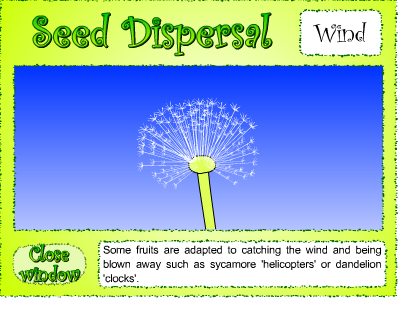
Today we will watch some quick videos about various seed dispersal methods from the website Gamequarium, then each child will draw an image of one of the methods using the program Pixie:
To play the videos, click on this link: http://www2.bgfl.org/bgfl2/custom/resources_ftp/client_ftp/ks2/science/plants_pt2/
Monday, October 17, 2011
Monday, October 3, 2011
Let's Draw a Map of the World!
Today, we'll review the continents of the world with the program Brainpop:
Then, we will play a series of games to drill where each Contient is on a map:
Next, we will open Pixie, and draw a map of the world! I will give each student a list of the Continents, Oceans, and other terms to place on the map.
Happy Exploring...
Mrs. Morell
Thursday, September 29, 2011
Fun with Consonant Blends
Today in the combined Language Arts/Technology Block, we will play a series of games to work on consonant blends...
http://www.sadlier-oxford.com/phonics/grade2_3/pg_106/blends.htm
http://www.crickweb.co.uk/ks1literacy.html
http://www.firstschoolyears.com/literacy/word/phonics/clusters/interactive/squares/clusters.htm
http://www.firstschoolyears.com/literacy/word/phonics/clusters/interactive/final/final.htm
http://www.firstschoolyears.com/literacy/word/phonics/clusters/interactive/initial/initial.htm
http://www.firstschoolyears.com/literacy/word/phonics/clusters/interactive/complete/clusters.htm
http://www.eduplace.com/kids/hmr06/ewordgame/index.html?grade=3&theme=1&selection=1
http://www.sadlier-oxford.com/phonics/grade2_3/pg_106/blends.htm
http://www.crickweb.co.uk/ks1literacy.html
http://www.firstschoolyears.com/literacy/word/phonics/clusters/interactive/squares/clusters.htm
http://www.firstschoolyears.com/literacy/word/phonics/clusters/interactive/final/final.htm
http://www.firstschoolyears.com/literacy/word/phonics/clusters/interactive/initial/initial.htm
http://www.firstschoolyears.com/literacy/word/phonics/clusters/interactive/complete/clusters.htm
http://www.eduplace.com/kids/hmr06/ewordgame/index.html?grade=3&theme=1&selection=1
Monday, September 26, 2011
Fun with Phonics Websites!
Our postcard project last week made me think it would be fun to play some of the beach-themed phonics games on BBC. If you finish playing these, you can explore other games on the BBC Phonics website, or move on to Ticket to Read.
http://www.bbc.co.uk/schools/wordsandpictures/phonics/sandcastle/
http://www.bbc.co.uk/schools/wordsandpictures/phonics/postcard/index.shtml
http://www.bbc.co.uk/schools/wordsandpictures/phonics/sandcastle/
http://www.bbc.co.uk/schools/wordsandpictures/phonics/postcard/index.shtml
Wednesday, September 21, 2011
Ticket to Read Week in the 3rd Grade
As I was taking my daughter to the University of Chicago to begin her freshman year this week, Catherine Miller, who usually teaches the Pre-K to 2nd graders was kind enough to sub for me.
Catherine and the 3rd graders spent classtime on Monday working on Ticket to Read. This is an interactive web-based program that helps develop phonics and reading skills. The kids love it - in fact we encourage students to practice their skills at home. All the login information for the 3rd grade can be found at the bottom of this post.
We will continue working on Ticket to Read on Thursday as well, during the combined Language Arts/Computer time.
www.tickettoread.com
As a reminder, Ticket to Read logins and password for 3rd grade:
PASSWORD FOR ALL: titansread
Logins for all: Will be last name, first initial (BradshawC) with the following exceptions:
kellyconor
reedgrant
sullivanjoseph
jonesmack
decarlost
Catherine and the 3rd graders spent classtime on Monday working on Ticket to Read. This is an interactive web-based program that helps develop phonics and reading skills. The kids love it - in fact we encourage students to practice their skills at home. All the login information for the 3rd grade can be found at the bottom of this post.
We will continue working on Ticket to Read on Thursday as well, during the combined Language Arts/Computer time.
www.tickettoread.com
As a reminder, Ticket to Read logins and password for 3rd grade:
PASSWORD FOR ALL: titansread
Logins for all: Will be last name, first initial (BradshawC) with the following exceptions:
kellyconor
reedgrant
sullivanjoseph
jonesmack
decarlost
Monday, September 12, 2011
Publisher Introduction - Let's Go Around the World!
First, we will spend several minutes exploring what a continent is on Brainpop, and then various coutries on the National Geographic Kids. The students will be able to explore photos and videos from a number of countries, and decide what country they would like to highlight on a postcard.
http://kids.nationalgeographic.com/kids/places/find/
This week, we will create postcards to tie-in with Language Arts studies using the MS Publisher program. The students will each receive a template of an "Off to Adventure" postcard in their network folders that looks like this:
The students will then create their own postcard, using their chosen destination from Language Arts class. Using descriptive language, they outline what they will see, feel and taste at their destination. They will be able to insert a photo, change the fonts and colors of the postcard as well.
http://kids.nationalgeographic.com/kids/places/find/
This week, we will create postcards to tie-in with Language Arts studies using the MS Publisher program. The students will each receive a template of an "Off to Adventure" postcard in their network folders that looks like this:
The students will then create their own postcard, using their chosen destination from Language Arts class. Using descriptive language, they outline what they will see, feel and taste at their destination. They will be able to insert a photo, change the fonts and colors of the postcard as well.
Monday, September 5, 2011
Power Point Introduction
This week, we will work on a Power Point Presentation titled: A Few of My Favorite Things."
I'll introduce you to the basics of Power Point, including how to insert text, and how to insert clip art to illustrate your presentation.
Here is a sample from last year's 3rd grade class:
I'll introduce you to the basics of Power Point, including how to insert text, and how to insert clip art to illustrate your presentation.
Here is a sample from last year's 3rd grade class:
I can't wait to see what you create this year! Mrs. Morell
Subscribe to:
Posts (Atom)


