Tuesday, April 9, 2013

More Ocean Animal Research & Prefixes

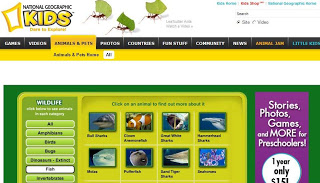
Today, I would like you to continue to research websites for your Ocean Animal Project.  Continue to fill out your sheet with as many interesting facts as you can find.  If you haven't already printed an article from one of the websites, then please choose one today.  You can also read the articles you have printed and highlight the important facts.

Once you have finished with your research, click on the link below to play Jeopardy Prefixes:


Sunday, April 7, 2013

Ocean Websites for Research


Hello Third Graders,

You are about to embark on research for your Ocean Life project, so we have put together a bank of resources to help you.  It is always wise to begin with online Encyclopedias, such as Britannica and Groliers, then move to the other websites. You will spend today exploring the following sites, and filling out information on your fact sheets. Have fun!

Mrs. Miller
Britannica Online

Sunday, March 17, 2013

St. Patrick's Day!

First, we will watch a couple of videos about St. Patrick's Day, the first from BrainPop:


And a pair of videos from the History Channel, one titled: Bet You Didn't Know: St. Patricks Day, and one on the New York City St. Patricks Day Parade:


http://www.history.com/topics/st-patricks-day/videos#nyc-st-patricks-day-parade


And let's take a quick peek at Irish step dancing from Riverdance:


 The we'll do a bit of research from The History Channel, where you can find this great infographic:


Monday, March 11, 2013

Simple Machines and Weekly Reader


Monday afternoon during technology class, we'll explore simple machines using the games on Edheads.com. 

You will go on a hunt for 10 simple machines in a garage, a kitchen, a bedroom, and a tool shed. 

Once you are finished finding simple machines, go to this week's Scholastic News.


Weekly Reader
Click on the link below and select the magazine you will read for this week's homework:
http://sni.scholastic.com/SN3/03_11_13_SN3

Monday, March 4, 2013

Explain Everything (an App)

Today, we will learn how to use the app Explain Everything.  You will use work from your writing portfolio to create a slide presentation using Explain Everything on the iPad. 

What to include in your Explain Everything project:
·       A title for your project (use the text tool – A) – MUST INCLUDE THIS
·       Your name (using the pen tool or using the text tool) – MUST INCLUDE THIS

MUST INCLUDE 1 OF THE FOLLOWING:
·       An illustration you will draw using the pen tool
·       An image of the illustration you have drawn (first take a photo of it and save it to your ipad’s camera roll)
·       An image from the internet you have first saved to the camera roll on your ipad.  To search for images, use the website:  www.morguefile.com 
Once you find the image you want for your project, tap and hold the image and press Save Image.  The image will be saved to your ipad camera roll.

MUST INCLUDE 1 OF THE FOLLOWING:
·       A recording of you reading your story.  You may decorate the slide that contains your recording however you’d like.
·       A video of you reading your story

OTHER OPTIONS:
·       A photo of yourself
·       Use as many slides as you need

HAVE FUN!!